Adding Fused Provider to Traccar Android Client
I’ve been using a phone GPS tracking tool to conveniently record my whereabouts. Traccar is a great open-source software with Android and iOS clients that supports self-hosted servers. The client only uploads location data to your own server, so there are no data privacy concerns. The server also comes with a web interface for managing and viewing device location history.
Limitations of Existing Positioning
There are three accuracy options: high, medium, and low, but none of them worked well in practice. High accuracy drains the battery quickly and only works outdoors - it can’t receive location updates indoors. Medium accuracy doesn’t drain the battery but is inaccurate. Low accuracy often fails to update location information at all.
Looking at the Traccar source code https://github.com/traccar/traccar-client-android , the positioning capability is based on Android’s native LocationManager. High accuracy uses GPS_PROVIDER, which only gets location from the GPS sensor - it’s battery-intensive and completely unusable indoors. Medium accuracy uses NETWORK_PROVIDER, which locates via cellular networks, cell towers, and WiFi - not as battery-intensive but not very accurate. Low accuracy uses PASSIVE_PROVIDER, which passively receives location updates without actively requesting them, so it requires other apps to actively request location before the OS will also provide the location info to Traccar - quite unreliable.
Introducing FUSED_PROVIDER
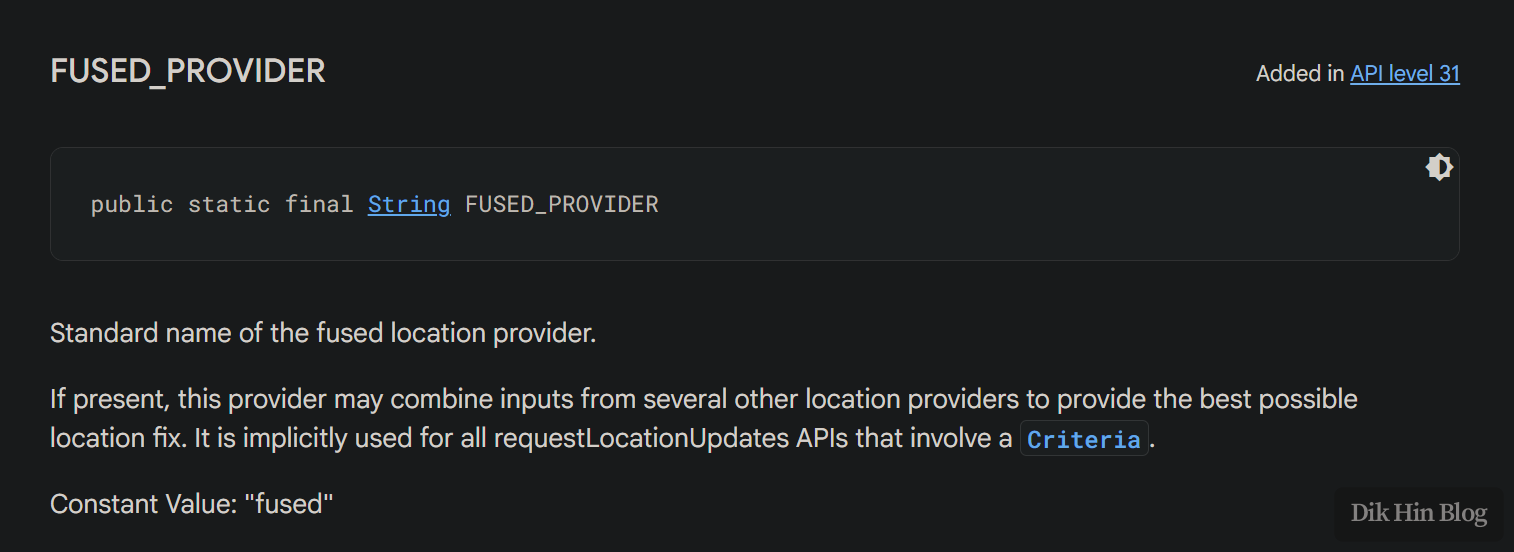
After Android API 31 (Android 12 or above), there’s actually a more advanced provider available: FUSED_PROVIDER. The system automatically calculates location from GPS, cellular networks, WiFi, and other modules or sensors, directly providing a location that balances power consumption and accuracy without requiring manual management. Before this, if you wanted smart location retrieval, you had to write your own strategy to balance accuracy and power consumption, use different providers under different conditions, and integrate data from various sources to calculate location.
Modifying Traccar Android Client
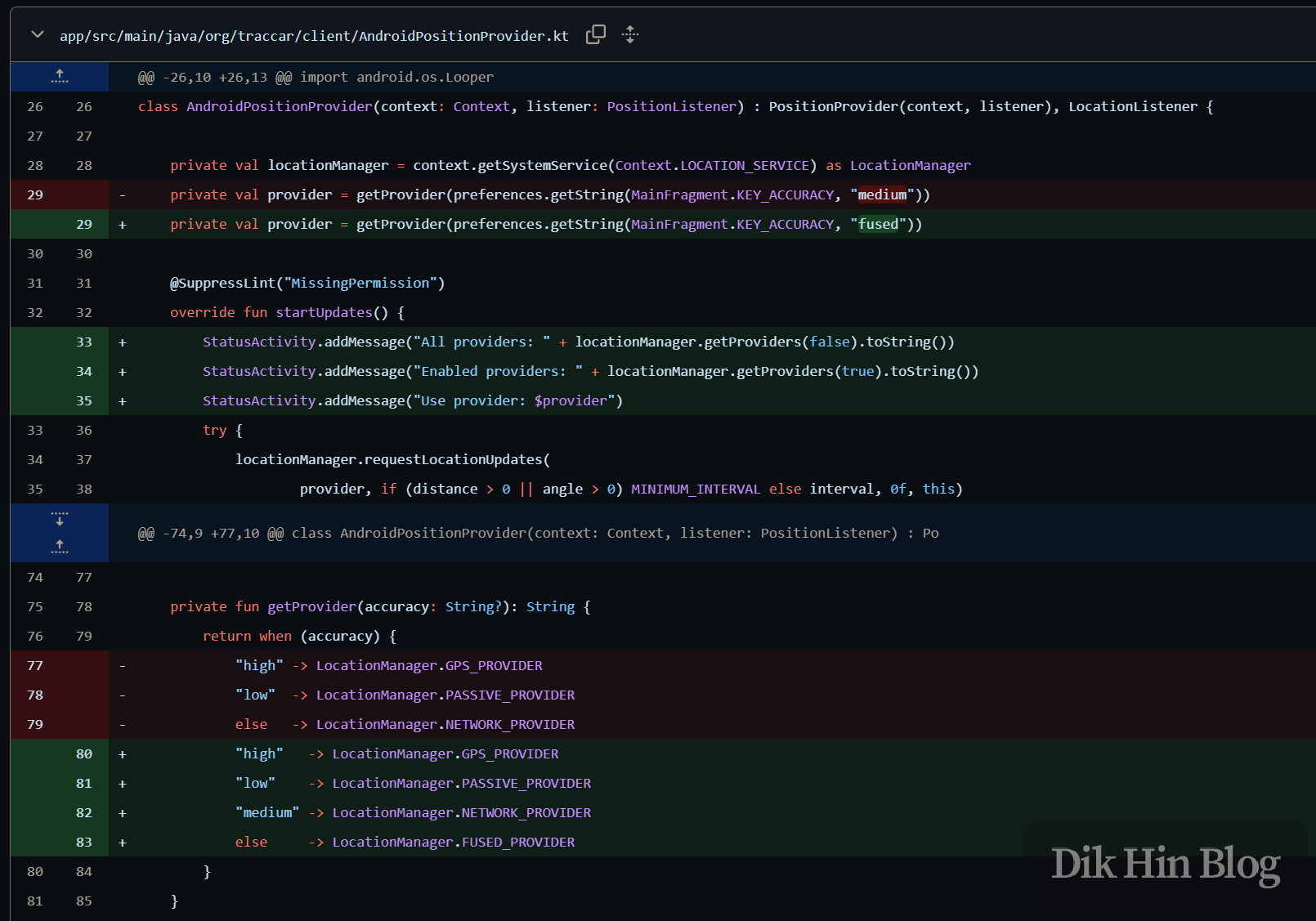
So I started modifying Traccar source code v7.7 to add the FUSED_PROVIDER option. First, I added LocationManager.FUSED_PROVIDER as a selectable value, which gets passed in when starting the service and running requestLocationUpdates(). I also added logging to print all providers supported by the device and the list of currently available providers for easy inspection. For example, if the user has disabled the phone’s GPS function, GPS_PROVIDER will still appear in the all providers list but won’t appear in the currently available providers list.
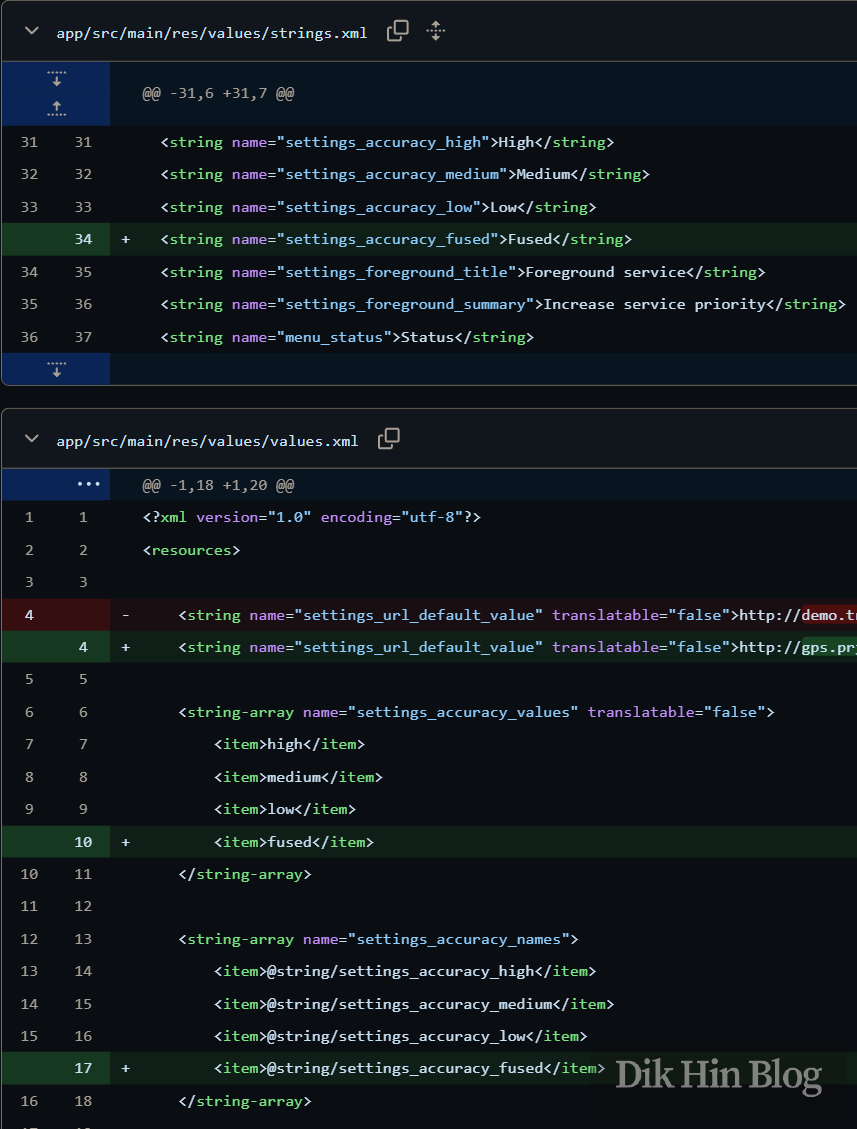
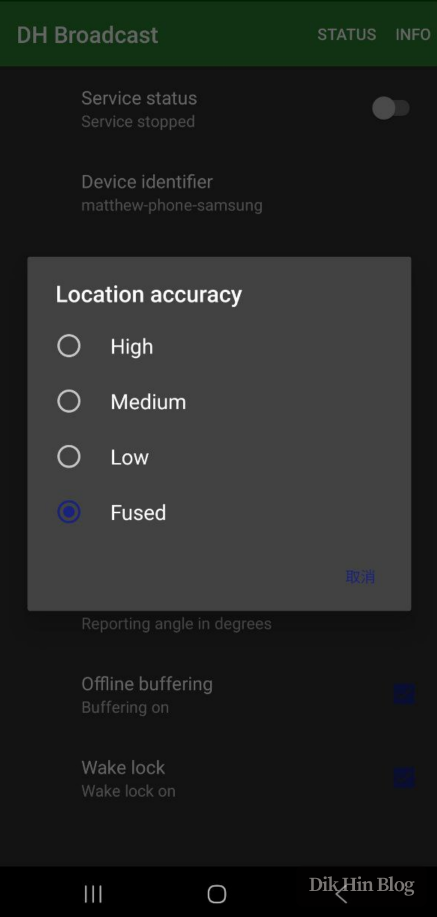
Then I added the Fused option to the app’s settings menu, and also changed the default server URL from Traccar’s demo server address to my self-hosted server address.
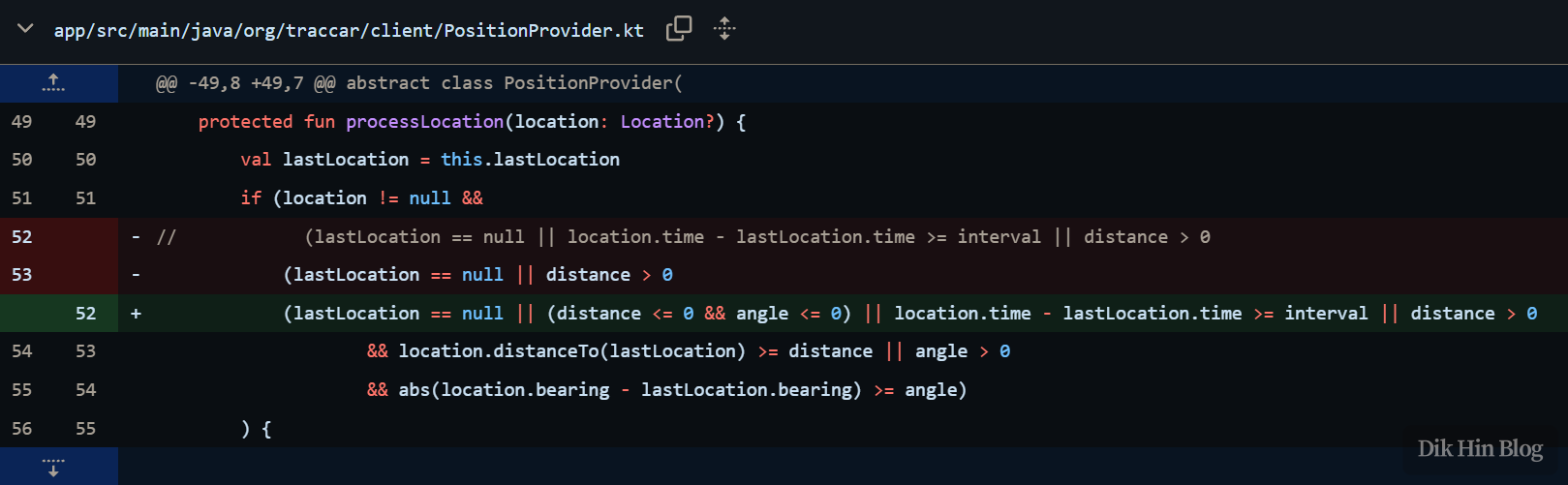
I also made a small optimization for the update interval. When distance>0 or angle>0, requestLocationUpdates() passes in the user-configured interval value (see line 38 in AndroidPositionProvider.kt above), and the OS won’t provide location info to the app callback more frequently than this interval. Therefore, when the app processes received location updates in processLocation(), it can process them directly without checking if the interval condition is met. So I added a condition to process directly when distance<=0 and angle<=0 (opposite to the distance>0 or angle>0 condition above).
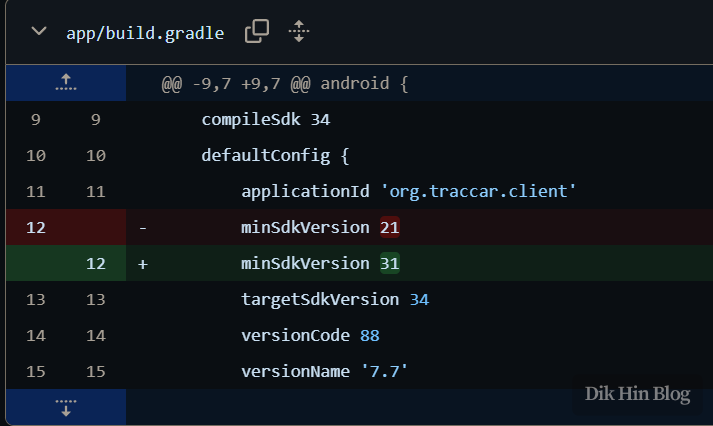
Finally, I updated the gradle build script to change the minimum SDK version to 31.
Results
Screenshots of the app running on phone after compilation. The app title also changed from Traccar Client to my own project name DH Broadcast.
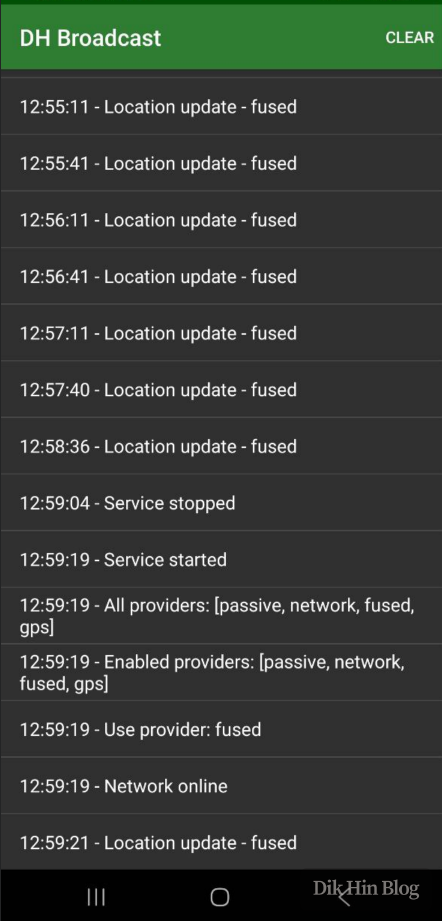
After running continuously for a week, the results were significantly better than before. With low power consumption, it maintained stable location updates with good accuracy.
June 2025 Update
The original author later migrated to a new framework, using Flutter uniformly for the client, and stopped maintaining the original native Android and iOS versions. After testing the new version, I felt it wasn’t as good as the previous native version. I also found a location update parameter issue in the new framework and submitted an Issue suggestion , which was later optimized. However, I’ll continue using the native version going forward.