Fixing WordPress Stuck on SQLite Database Upgrade After Auto Version Update
In early 2023, I helped a friend set up a WordPress blog. By mid-2024, he contacted me saying the blog wasn’t loading anymore.
The Problem
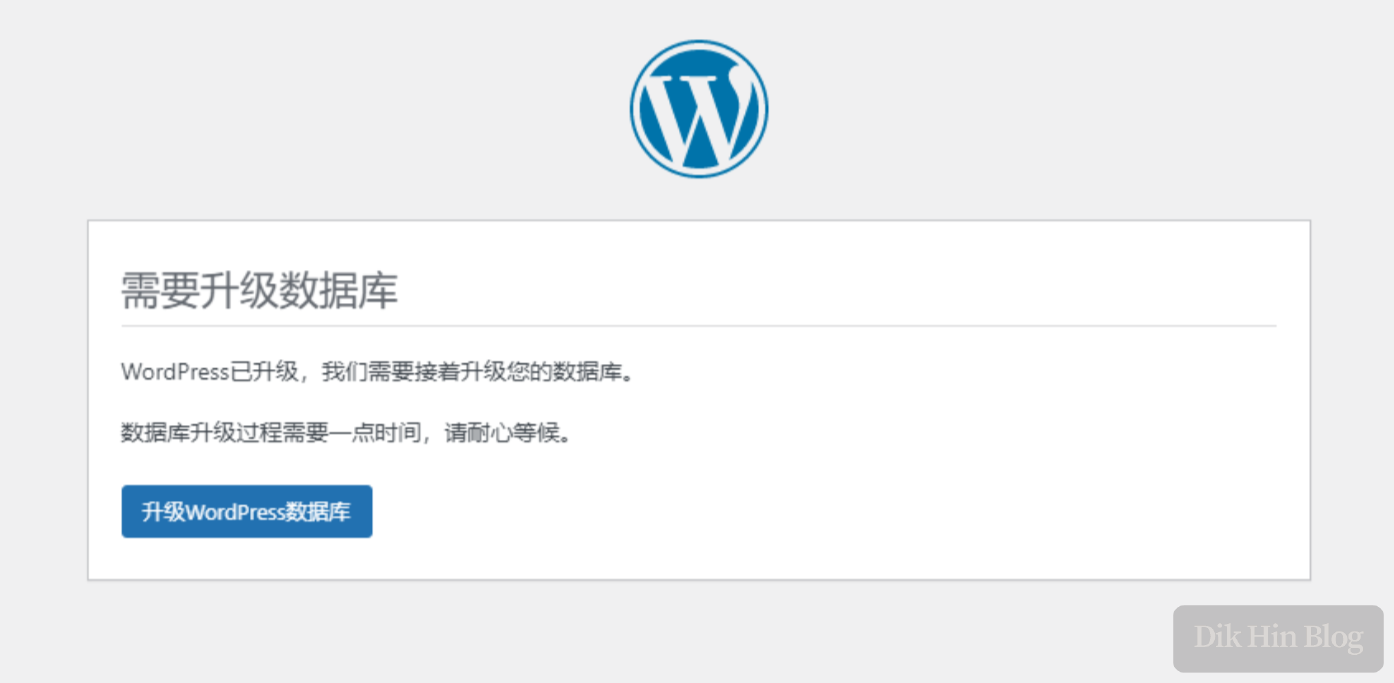
When opening the blog URL, I found that WordPress had automatically upgraded its version and now required a database migration. Clicking the upgrade button didn’t work - it kept getting stuck on this page repeatedly, and I couldn’t access the blog homepage either. This was just a small blog that didn’t use a separate database instance; it was using SQLite, provided by the SQLite Database Integration plugin.
WordPress had already completed most of its upgrade and couldn’t roll back to the old version. It was stuck at the database step, unable to perform any other operations, and the admin dashboard was also inaccessible. The only option was to look at the source code for a solution.
Root Cause Analysis
Looking at WordPress’s upgrade script , I found that one step compares the database version - if it’s not the new version, it displays the database upgrade page.
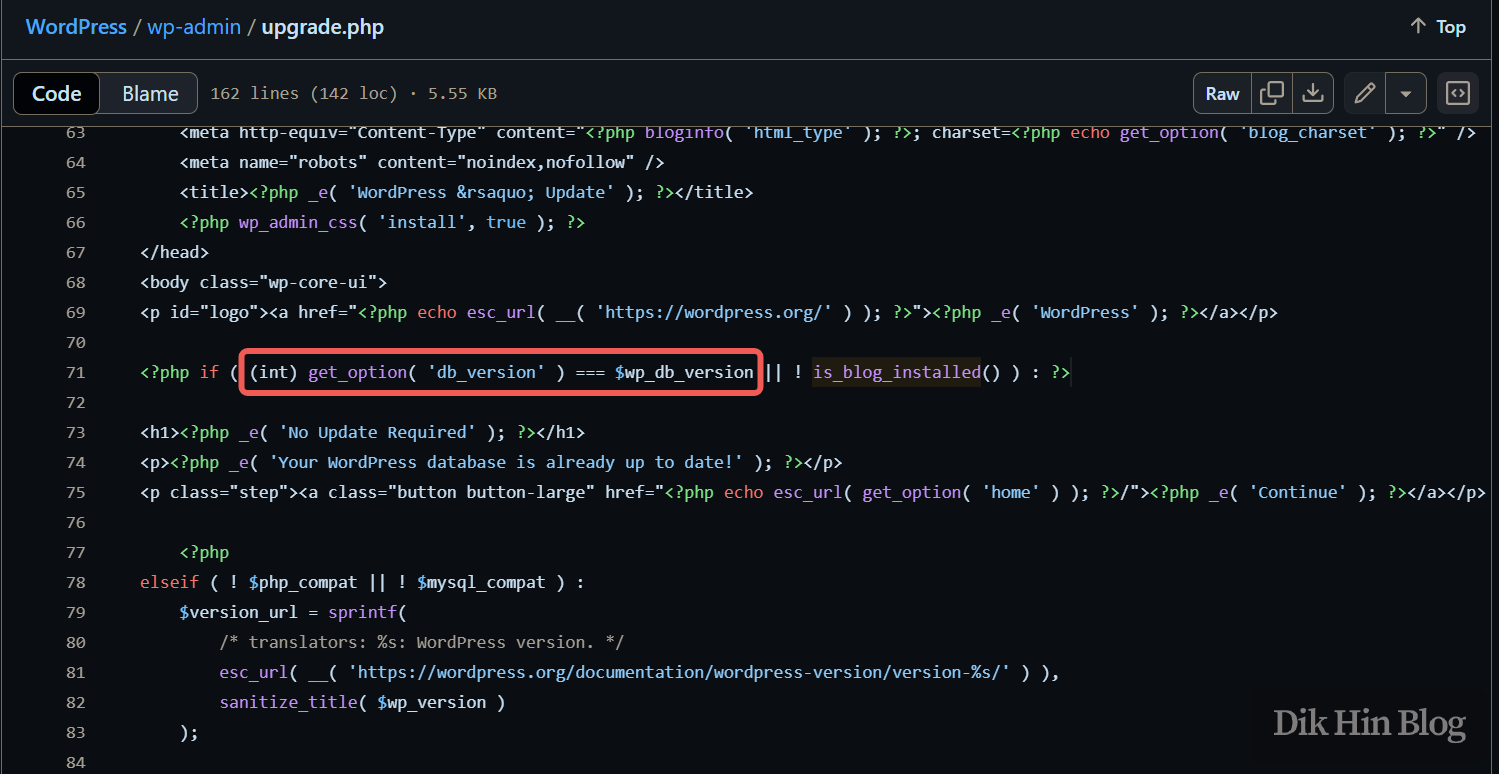
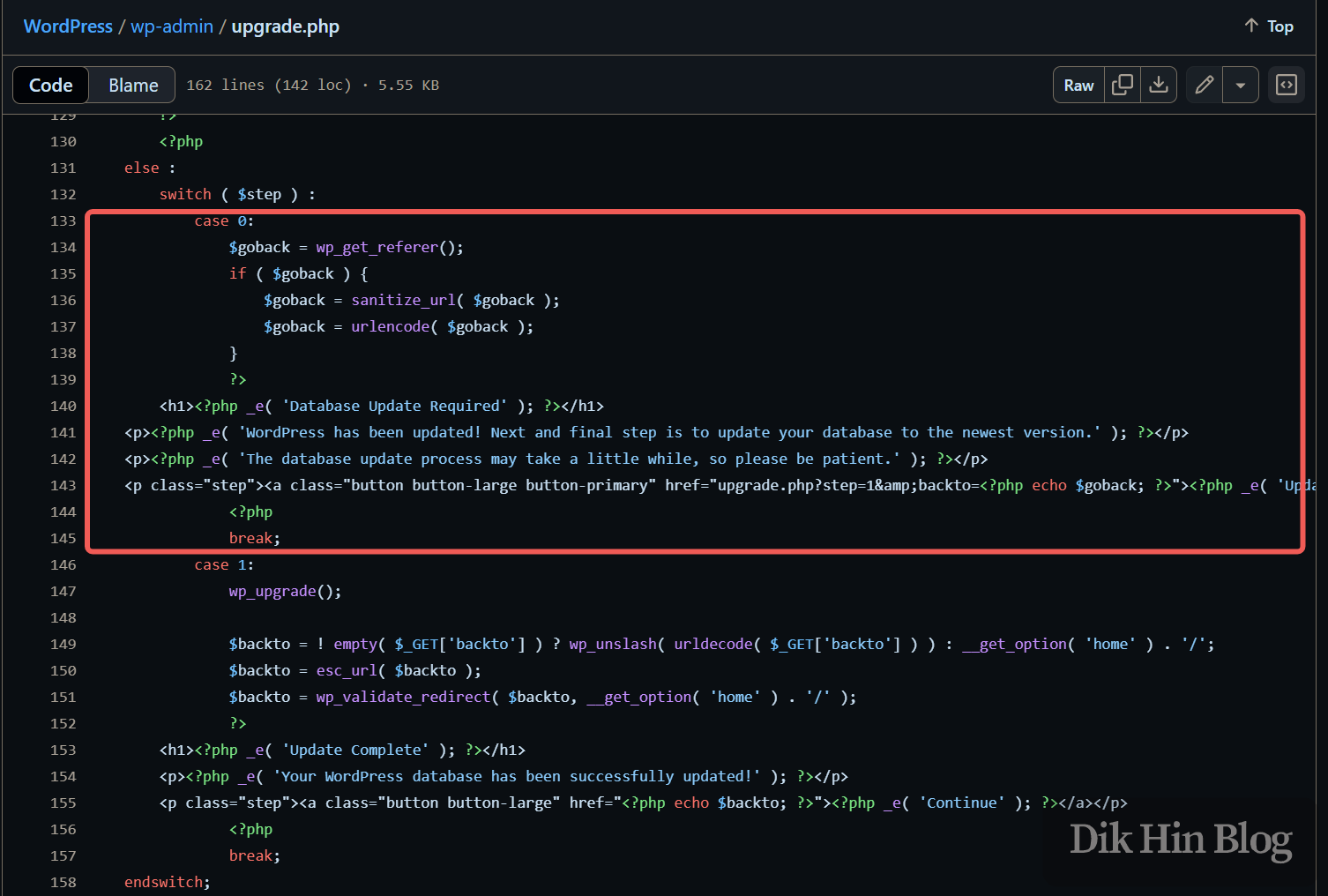
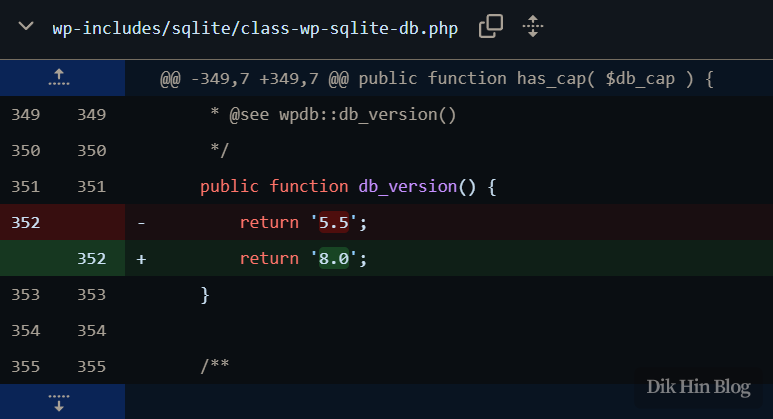
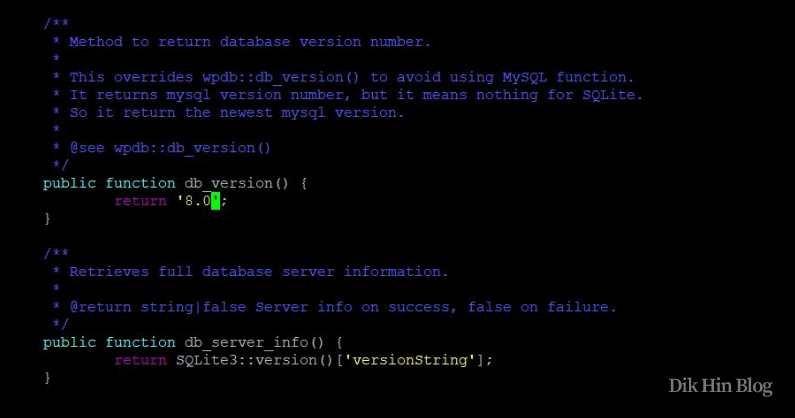
The version number is read from a global $wpdb instance. Since we’re using SQLite, the wpdb instance is implemented by the SQLite plugin. Looking at the plugin code’s db_version() implementation ,I discovered that the plugin code had hardcoded the return value as 5.5, and the latest plugin version had already changed it to 8.0.
Manual Fix
Since I was currently stuck at the upgrade step, I couldn’t access the admin dashboard to upgrade the plugin, so I had to manually edit the corresponding file in the local WordPress installation to make db_version() return 8.0.
Follow-up Steps
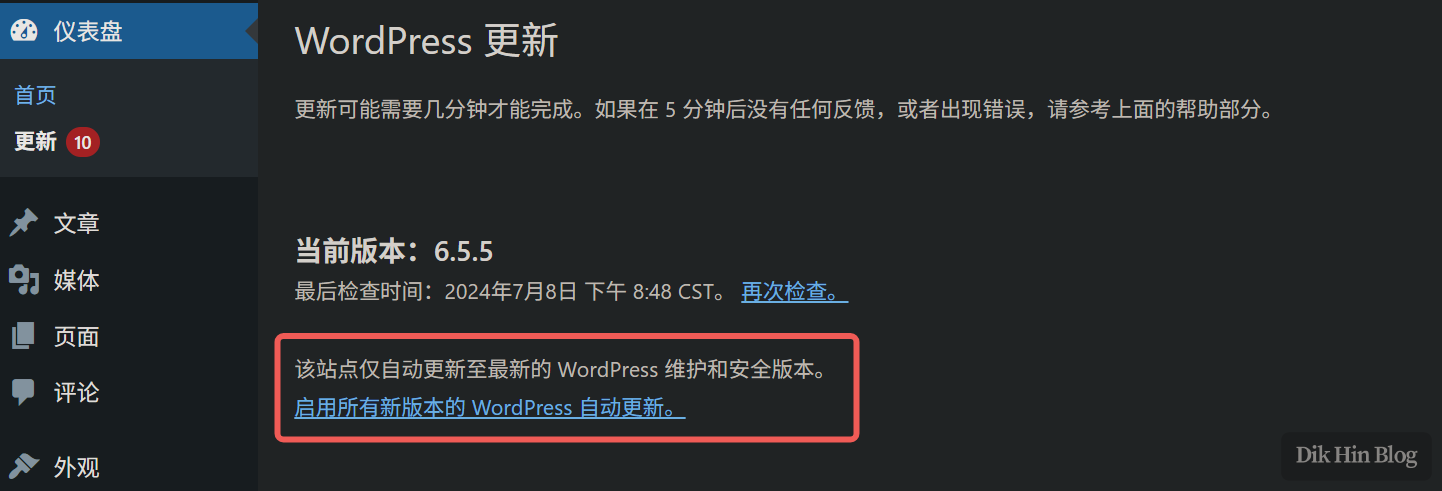
After the modification, the upgrade process completed successfully and I could access the blog homepage. Then I upgraded the SQLite plugin and disabled automatic updates.

Problem solved!