Adding Custom Derivation Path Support for Metamask Ledger Hardware Wallet Connection
A Web3 hot wallet or hardware wallet can have many addresses. In fact, the wallet only stores one root key, and the addresses we use are generated according to the BIP44 standard, calculated from specified derivation paths based on the root key.
Derivation Path Rules
Metamask uses the path m/44’/60’/0’/0/x, where the first address is m/44’/60’/0’/0/0, the second is m/44’/60’/0’/0/1, and so on.
Ledger Live uses the path m/44’/60’/x’/0/0, where the first address is m/44’/60’/0’/0/0, the second is m/44’/60’/1’/0/0, and so on.
The number after 44 represents the coin type: 60 is Ethereum (commonly used for EVM chains), 0 is Bitcoin, and other coins have their own codes.
The Problem
I was working on a personal project that required assigning an address to each user with centralized custody. For security reasons, I needed to use a hardware wallet, but it’s impractical to have a separate hardware wallet for each user. The solution was to manage all users with a single hardware wallet using the path m/44’/60’/0’/0/x, where x represents the user ID.
However, operating a specific user’s address became cumbersome. When connecting a Ledger hardware wallet in Metamask to import addresses, you can only browse page by page, with only 5 addresses per page. Each page turn requires reading from the wallet, which is slow. Finding the address corresponding to a specific user ID was extremely inefficient.
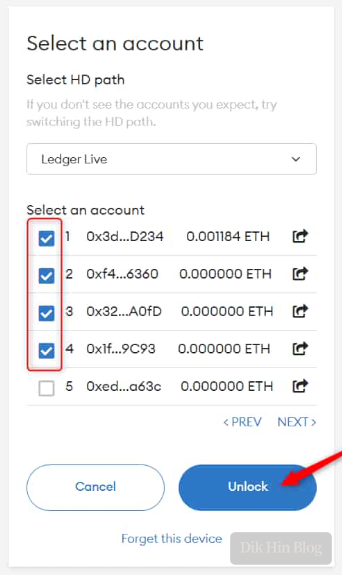
Modifying Metamask Extension
So I modified the Metamask source code to support manually entering an ID to jump directly to the corresponding page, and changed it to display 10 addresses per page. Git clone the Metamask source code from https://github.com/MetaMask/metamask-extension and develop based on v10.23.2.
-
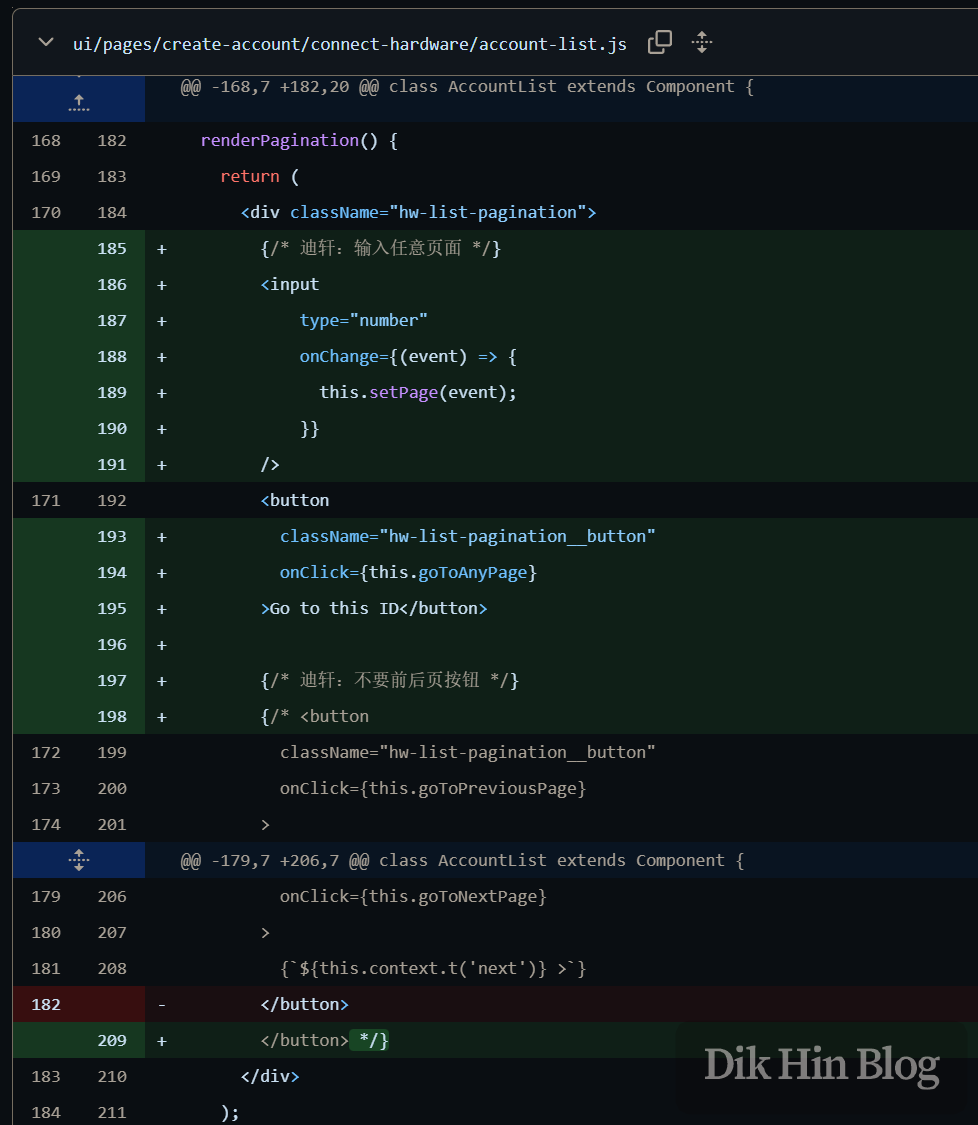
First, add an input field and replace the original page-by-page navigation buttons with a jump button, adding a setPage() function to calculate the page number from the ID (10 addresses per page).

-
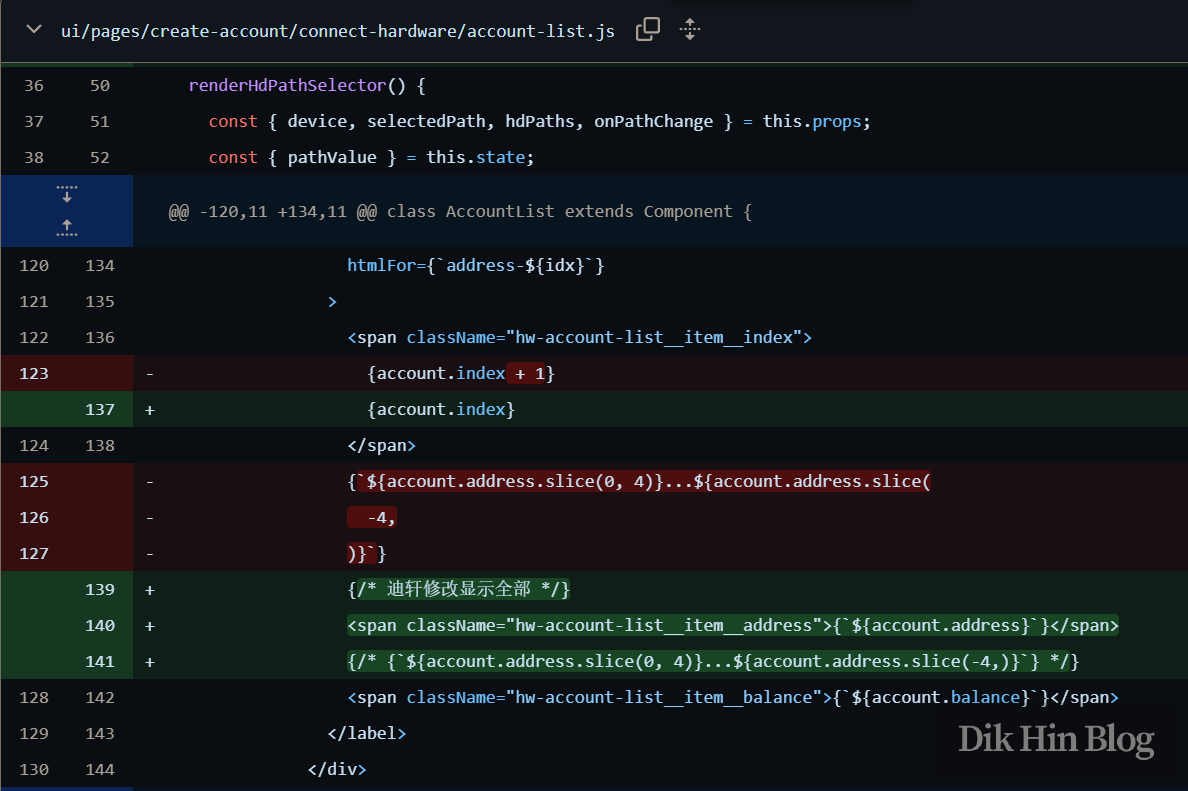
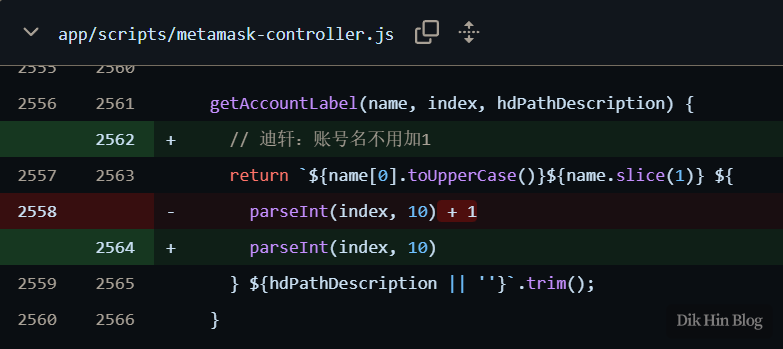
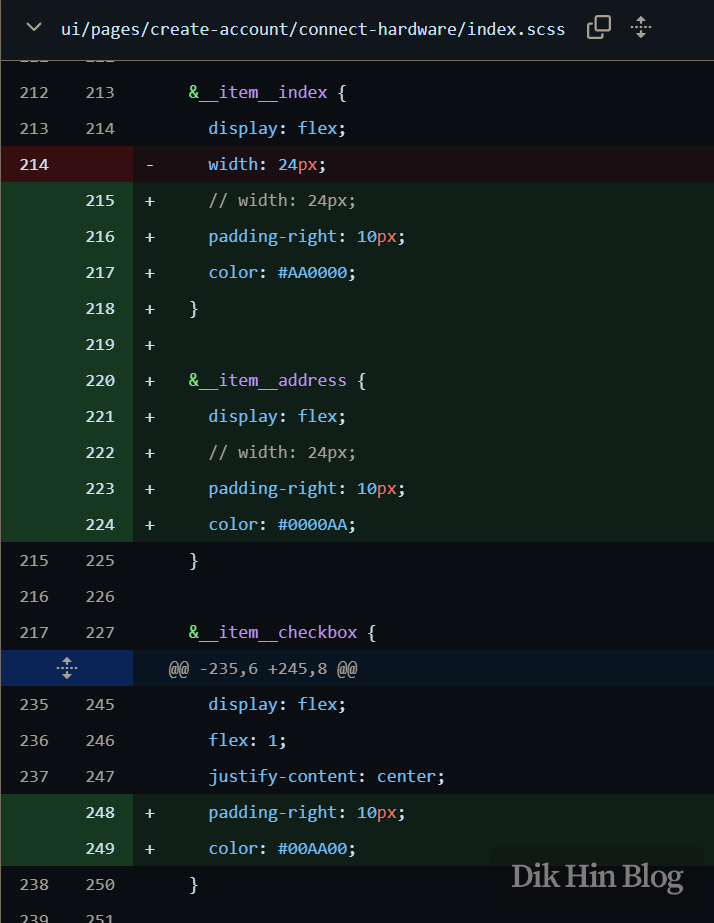
Display full addresses for easier comparison, and change the numbering to start from 0 instead of 1, matching the m/44’/60’/0’/0/x path notation. Also adjusted spacing and colors for better readability.
-
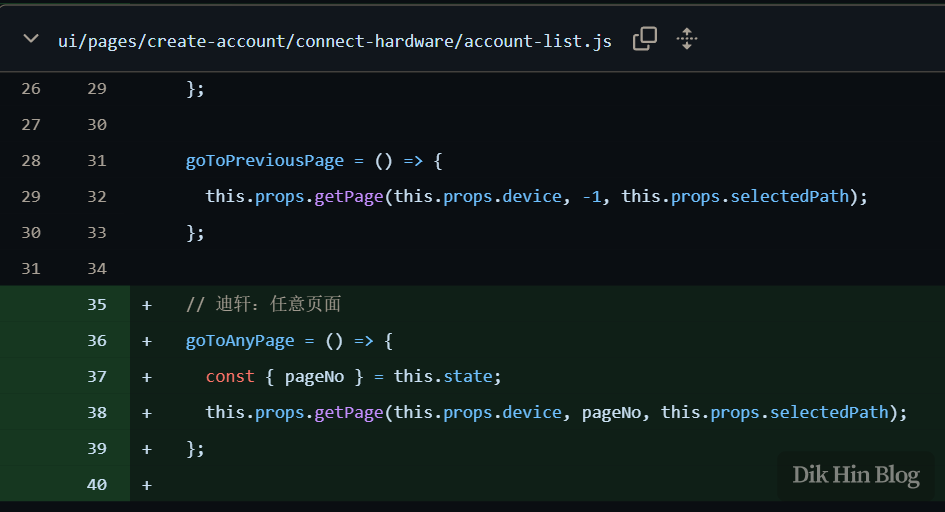
Following the pattern of goToPreviousPage(), add a new goToAnyPage() function that the button from step 1 will call, jumping directly to pageNo instead of +1 or -1.
-
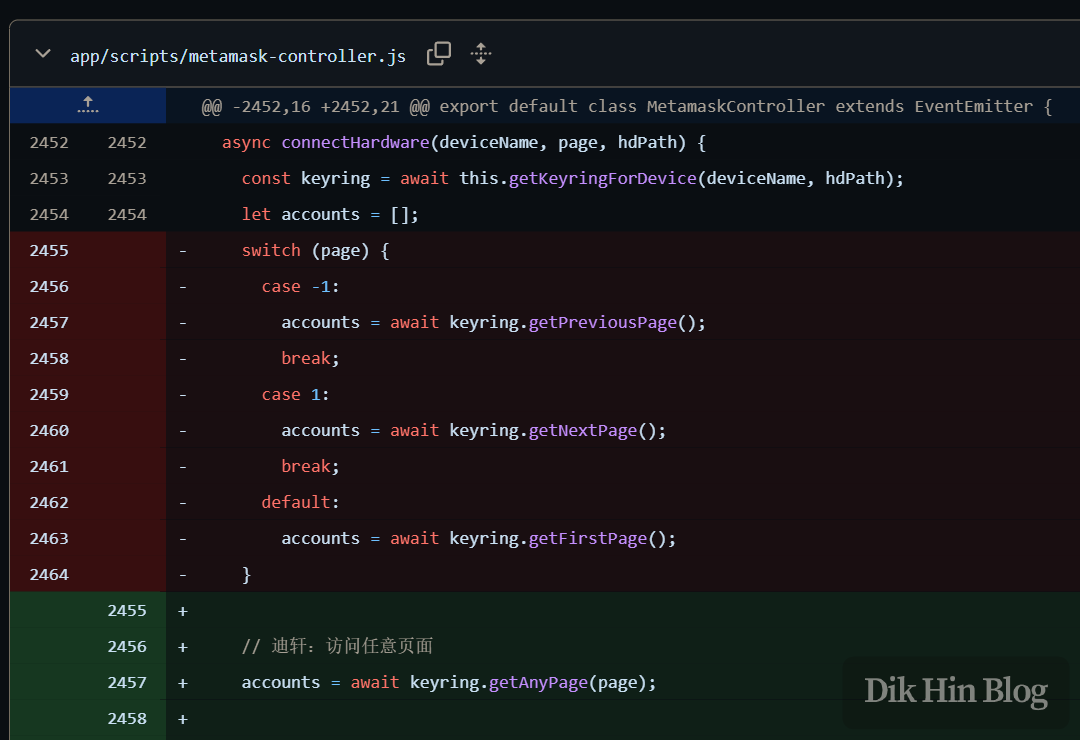
The getPage() from the previous step calls connectHardware() to read addresses from the hardware wallet. Since the page number originally only accepted -1 or +1, but we’re now passing pageNo which can be any positive integer, we need to handle this case by calling keyring’s getAnyPage().
-
The keyring is actually another dependency package called eth-ledger-bridge-keyring, responsible for communicating with Ledger hardware via HID protocol. The package is located at node_modules@metamask\eth-ledger-bridge-keyring\index.js. This library doesn’t have a getAnyPage() function, so we need to implement it ourselves in index.js. Also change
this.perPage = 5to 10 to define the number of addresses per page, otherwise the address path calculation for each page will be incorrect.getAnyPage (page) { this.page = page return this.__getPage(0) }
Final Result
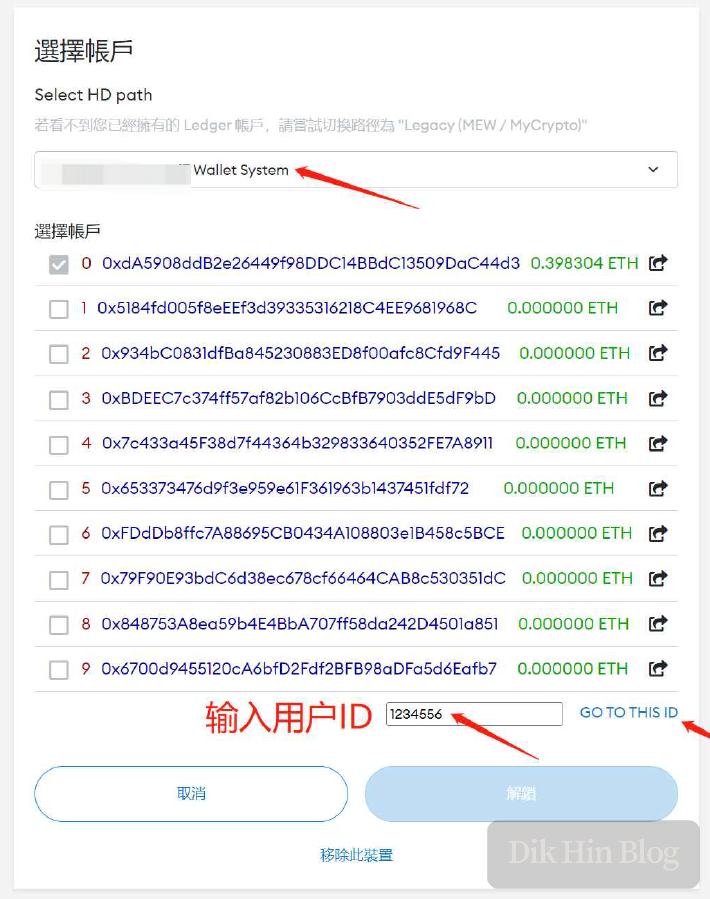
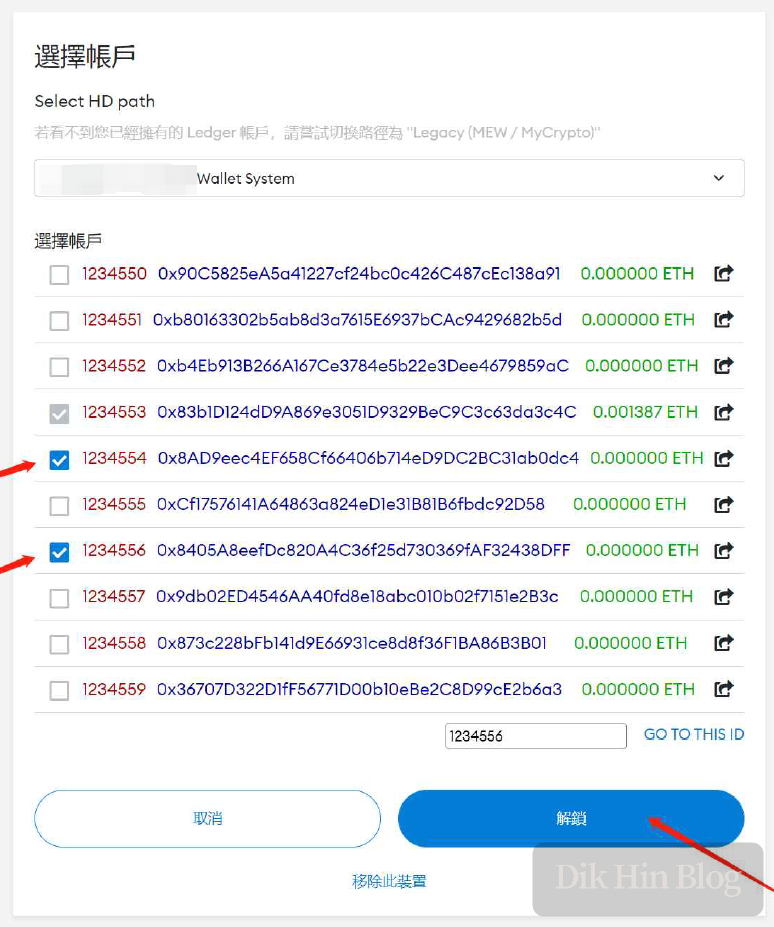
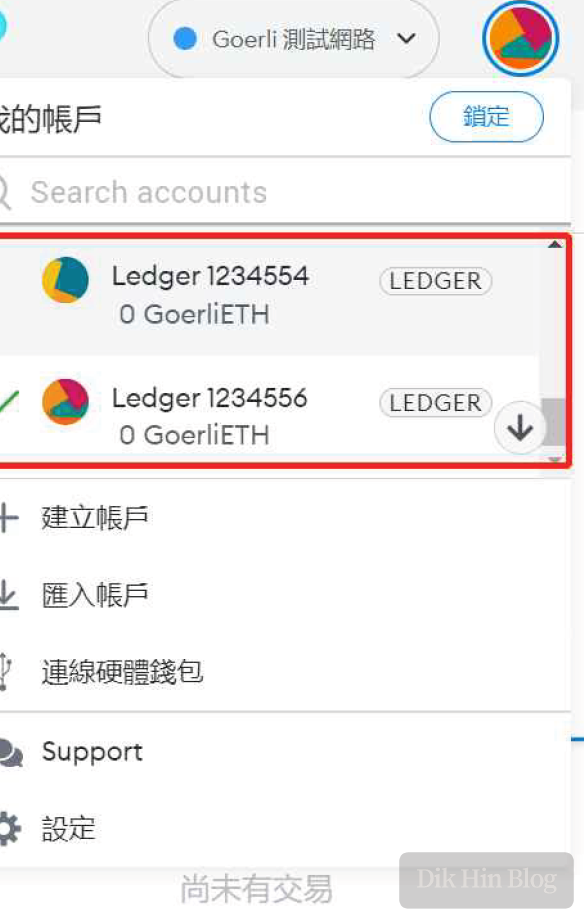
Done!